
24 Billion Passwords Just Leaked Online — Here's What It Actually Means for You
Learn what the 24 billion passwords leak really means, who is affected, how the data was exposed, and the essential steps you should take to protect your accounts.
NEWS
By Muhammad Ibraheem • Founder of Hackers Legacy • Cybersecurity Researcher & Privacy Analyst
6/26/20268 min read
"With roughly 5.5 billion people online and 24 billion credential records in this single database, the odds that you're in it aren't a maybe. They're close to a certainty."
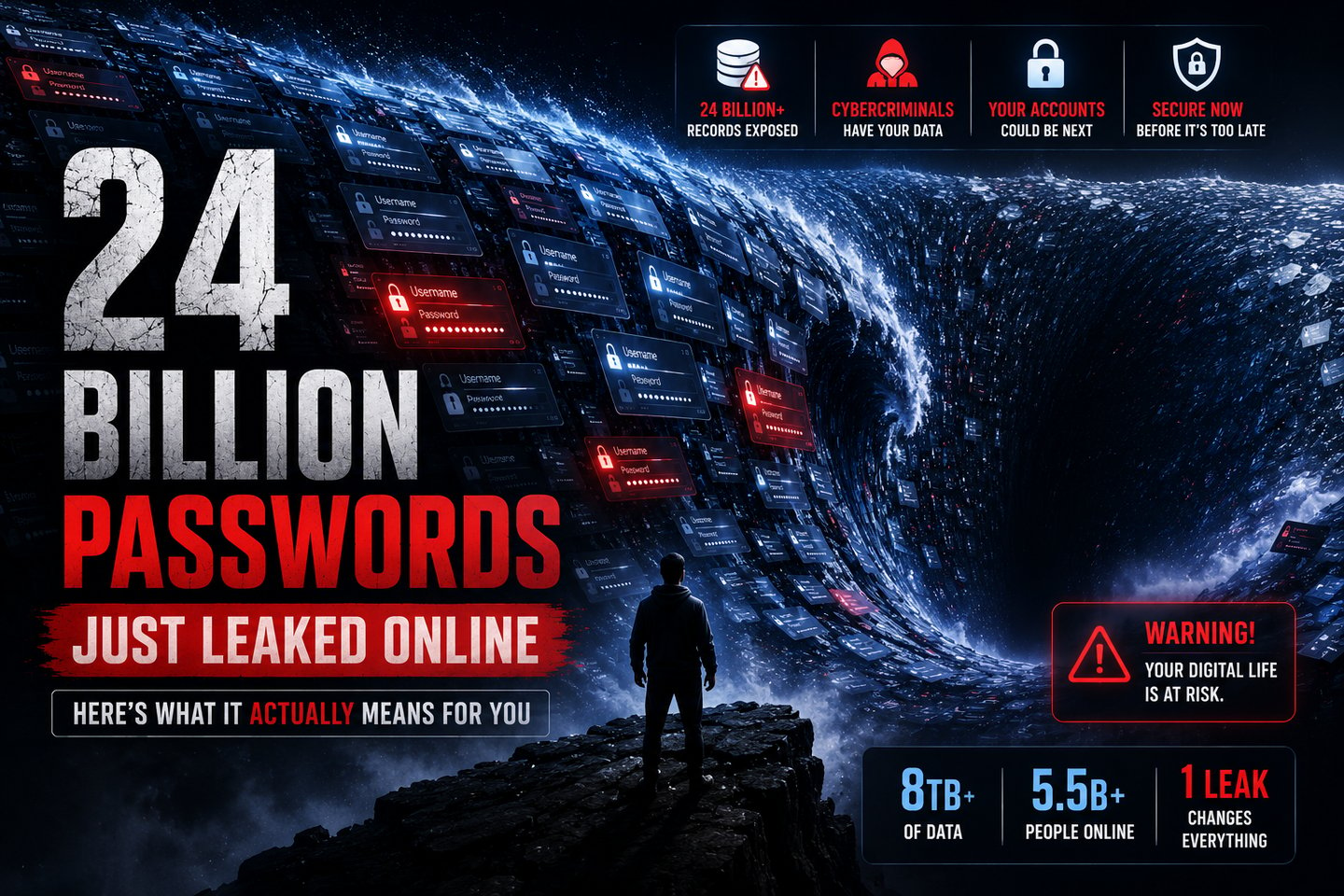
If you've felt a low hum of anxiety scrolling past headlines this week about "24 billion records leaked," you're not overreacting. This is one of the largest credential exposures ever documented, and unlike a lot of viral breach stories, this one holds up to scrutiny.
But here's what almost none of the panicked posts are telling you: the real story isn't quite what the headline suggests, and understanding the difference is the key to knowing how worried you should actually be — and exactly what to do about it.
I dug through the original research and the reporting around it. Let me give you the honest, complete picture: what leaked, where it came from, whether you're affected (you probably are), and the specific steps that actually protect you. No fear-mongering, no fluff.
What Actually Happened
On June 12, 2026, security researchers at Cybernews discovered something staggering: an open, unsecured Elasticsearch database sitting on the public internet, accessible to anyone who knew where to look. Inside were roughly 24 billion records, totaling more than 8 terabytes of data.
The researchers were so taken aback that they triple-checked their numbers before publishing. The numbers held up.
What was in those records? Mostly stolen login credentials — usernames, email addresses, plaintext passwords (meaning not even encrypted), and the specific website URLs those passwords unlocked. In practical terms, a single record could reveal a person's email, their password, and the exact site that password opens. That combination is precisely what makes this dangerous.
The database has since been taken offline, which is genuinely reassuring — it means the window for criminals to grab it from that particular source has narrowed. But the underlying credentials, many of which were already circulating, remain a risk.
The Part the Headlines Get Wrong
Here's the nuance that separates good reporting from clickbait, and it matters for your peace of mind.
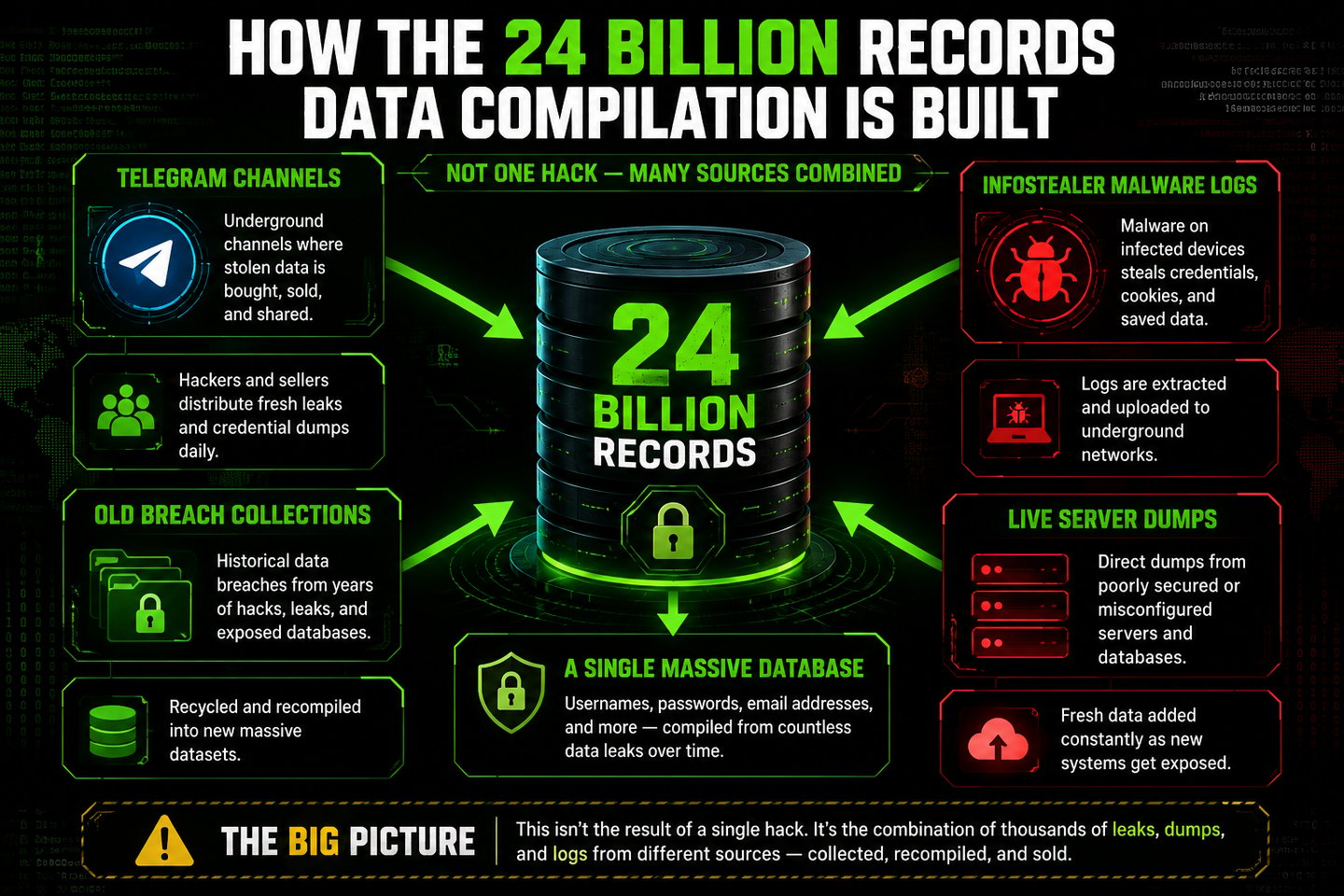
This was not a single company getting hacked and losing 24 billion records. No one breached one giant server. Instead, this database was a compilation — assembled from 36 different sources. It's the same pattern we saw with the viral OnlyFans 'leak' — recycled data repackaged under a scary headline, including numerous Telegram channels used for trading stolen data, older breach collections, and, most significantly, fresh infostealer logs.
The vast majority of these records came from infostealers. And that distinction changes everything about how you should think about this.
So what's an infostealer? It's a type of malware that quietly infects an individual device — a home laptop, a personal computer — and silently harvests everything sensitive on it: every password saved in your browser, active login sessions, autofill data, and sometimes even crypto wallets. The victim usually has no idea it happened. One infected laptop can leak every credential that person ever saved.
This is the crucial insight: many of the people in this database were compromised on their own devices, long before this collection ever existed. The leak didn't create the danger — it aggregated danger that was already out there, scattered across the internet.
If this gives you déjà vu, that's fair. Back in 2024, researchers found the so-called "Mother of All Breaches" — a 26-billion-record compilation that made similar headlines.
But experts point out a key difference that actually makes this 2026 discovery more concerning in one specific way. The 2024 mega-leak was mostly static, old data — recycled credentials from past corporate breaches. This new database leans far more heavily toward fresh infostealer logs, meaning data stolen from individual devices recently, often within the past few months.
Even more striking, researchers found something unusual mixed into the data: roughly 9,500 records containing CVE vulnerability identifiers paired with GitHub links, over 5,200 logs of news articles about recent data breaches, and around 2,900 social media posts about cybersecurity incidents. One news article in the dataset was dated as recently as February 2026.
Why does that matter? Because it suggests the database owner wasn't just hoarding passwords. They appeared to be actively cross-referencing two things: which services are currently vulnerable to known exploits, and which stolen credentials unlock those services. That's not a dusty archive. That's a working attack-targeting tool being kept up to date — though researchers later learned the owner may have been a threat intelligence company, which muddies the picture of intent.
Why This One Is Different From "Mother of All Breaches"
So… Are You Affected?
Let's be realistic. With around 5.5 billion internet users in the world and 24 billion records in this dataset (even accounting for the heavy duplication that compilations always contain), the statistical reality is blunt: if you've used online services for more than a few years, there's a credible chance at least one set of your credentials is in this database — or one just like it.
This isn't meant to scare you. It's meant to reframe how you think about passwords entirely. The question in 2026 is no longer "will my data ever leak?" It's "since some of my data has almost certainly leaked, how do I make that leak harmless?"
And the good news is that you have real, concrete control over that second question.
What to Do Right Now (In Order of Priority)
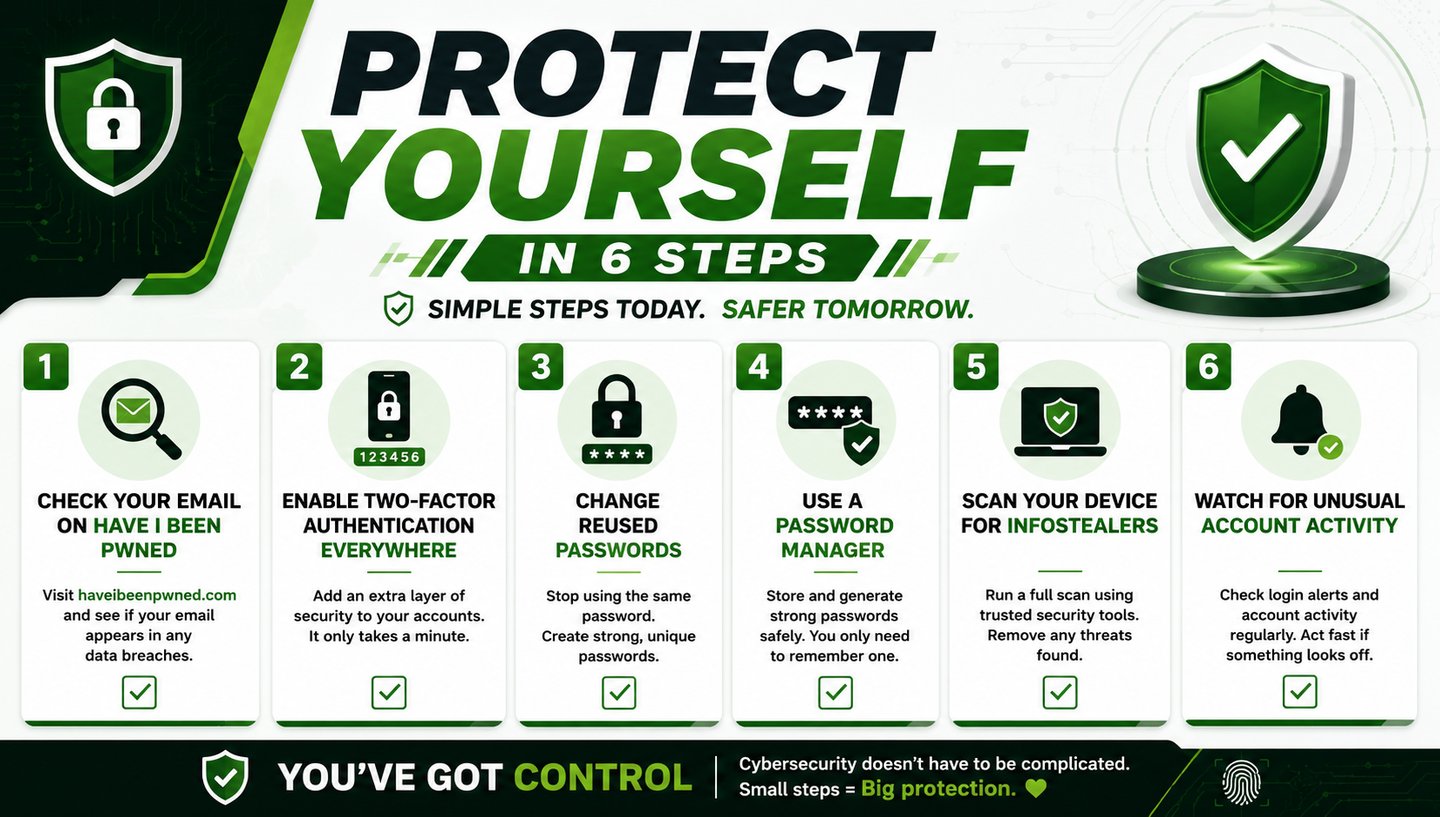
Here's your action plan, ranked from most to least urgent. You don't need to do everything tonight, but the first three matter a lot.
1. Check your exposure. Head to HaveIBeenPwned and enter every email address you use. This free tool, run by respected researcher Troy Hunt, tells you which breaches your data has appeared in. Notably, it added 56.3 million email addresses from this specific infostealer dataset on June 15, 2026. If you discover your data is exposed, here's exactly what to do, step by step. so it may directly reflect this leak. Malwarebytes also offers a Digital Footprint Portal for broader exposure checks.
2. Turn on two-factor authentication everywhere. This is the single most powerful step, and I can't stress it enough. Even if your exact password is sitting in this database right now, 2FA means that password alone can't open your account — an attacker would also need a code from your phone. Enable it on your email first (it's the key to everything else), then banking, then social media. Use an authenticator app like Authy rather than text-message codes where you can, since SMS can be intercepted.
3. Change passwords that you've reused. The real danger of leaked credentials is "credential stuffing" — attackers take a leaked email/password combo and try it on dozens of other sites, betting that you reused it. If you use the same password in multiple places, change those now. According to Verizon's 2025 Data Breach Investigations Report, stolen credentials drove 22% of all confirmed breaches that year. Reuse is the vulnerability.
4. Start using a password manager. A tool like Bitwarden (free and open-source) generates a unique, random password for every account, Pairing strong passwords with a privacy-focused browser shrinks your exposure even further. So a leak from one service can never cascade into others. You only remember one master password. This single habit neutralizes the entire credential-stuffing threat going forward.
5. Scan your devices for infostealers. Since most of this data came from infostealer malware, make sure you're not currently infected. Run a full scan with a reputable tool like Malwarebytes. Be especially cautious about pirated software and sketchy downloads, which are common infostealer delivery methods. Infostealers also spread through fake verification prompts — a fast-growing scam called ClickFix that tricks you into infecting yourself
6. Stay alert for unusual activity. Watch for login alerts you didn't trigger, password reset emails you didn't request, or unfamiliar charges. These are signs someone may be testing your credentials.
The Bigger Lesson: Your Password Strategy Is the Real Fix
Step back, and there's a liberating takeaway buried in this scary news.
You cannot stop companies from being breached. You cannot stop infostealers from existing. You cannot un-leak the data that's already out there. Chasing the impossible goal of "never being in a breach" leads only to anxiety.
But you can make every leak a non-event. A unique password per site means one leaked credential unlocks exactly one account — not your whole digital life. Two-factor authentication means a leaked password is useless on its own. Together, these two habits transform a "24 billion records leaked" headline from a personal crisis into a mild inconvenience you've already defended against.
That's the shift worth making. Not panic at every mega-leak, but a quiet confidence that you've built your accounts so that leaks simply don't matter much. The people genuinely at risk from this database are those reusing one password across everything with no 2FA. Don't be that person, and these headlines lose their power over you.
The data is already out there. What you control is whether it can actually hurt you.
Frequently Asked Questions
Was a specific company hacked to cause the 24 billion record leak? No. This was a compilation assembled from 36 different sources — including Telegram channels, old breach collections, and fresh infostealer malware logs — not a single company breach. The data was found on an unsecured database that has since been taken offline. The majority of records came from infostealers that infected individual devices.
How do I know if my password is in the leak? Check your email addresses on Have I Been Pwned, which added millions of addresses from this specific dataset in mid-June 2026. While you may not be able to confirm this exact database, the tool shows which breaches your credentials have appeared in overall. Given the scale, assume some of your older credentials are exposed and act accordingly.
Is two-factor authentication really enough to protect me? 2FA is the single most effective protection against leaked passwords, because it means a stolen password alone can't access your account. It's not absolutely perfect — some advanced attacks target session tokens — but for the vast majority of people, enabling 2FA everywhere dramatically reduces risk. Use an authenticator app over SMS when possible.
What is an infostealer and how do I avoid one? An infostealer is malware that secretly harvests saved passwords, cookies, and sensitive data from an infected device. Avoid them by not downloading pirated software, being cautious with email attachments and unfamiliar downloads, keeping your system updated, and running reputable security software. Most of the credentials in this leak came from infostealer infections.
Should I change all my passwords because of this? You don't necessarily need to change every password immediately, but you should change any password you've reused across multiple sites, starting with critical accounts (email, banking). Better yet, adopt a password manager to generate unique passwords going forward, which solves the underlying problem permanently.
The scariest part of a leak like this isn't the number. It's realizing how little most people can do about data that's already gone. But the empowering truth is that you don't need to claw back the data — you just need to make it worthless. Unique passwords and 2FA do exactly that.
Found this useful? Share it with someone who still uses the same password everywhere. This is the article that might finally convince them to stop.
About the Author
Muhammad Ibraheem
Founder of Hackers Legacy | Cybersecurity Researcher & Privacy Analyst
Muhammad Ibraheem is a cybersecurity content creator with more than three years of experience producing educational content on ethical hacking, OSINT, privacy, and digital security. Through Hackers Legacy, he helps readers separate real cybersecurity threats from viral hype through research-driven analysis and educational content.
References & Further Reading
Cybernews — 24 Billion Credentials Exposed in Massive Leak
Malwarebytes — 24 Billion Stolen Records: Here's What to Do
TechRadar — Experts Warn "Colossal" Breach Exposes 24 Billion Records
Security Affairs — 24 Billion Stolen Credentials Exposed
SC Media — Massive Database With 24 Billion Credentials Found

HACKERS LEGACY

Your ultimate knowledge for Ethical Hacking, Cybersecurity insights, digital products and a global community of curious minds.
LEARN . HACK . LEAD
Quick Links
Resources
Contact Us
> Email Us
> Response Time
Within 24 Hours
> World Wide Access
We are available globally.
©2026 Hackers Legacy
All rights reserved.
Built for learners
Secured for the future.