
I Tested These 10 Private Browsers That Can Help You Become Anonymous Online (2026 Edition)
Looking for the best Private Browsers in 2026? I tested 10 popular options to compare privacy, anonymity, security, speed, and usability. You'll discover which browsers offer the strongest privacy protections, where they fall short, and which private browser is best suited for your specific needs.
OSINTTOOLS
6/5/20269 min read
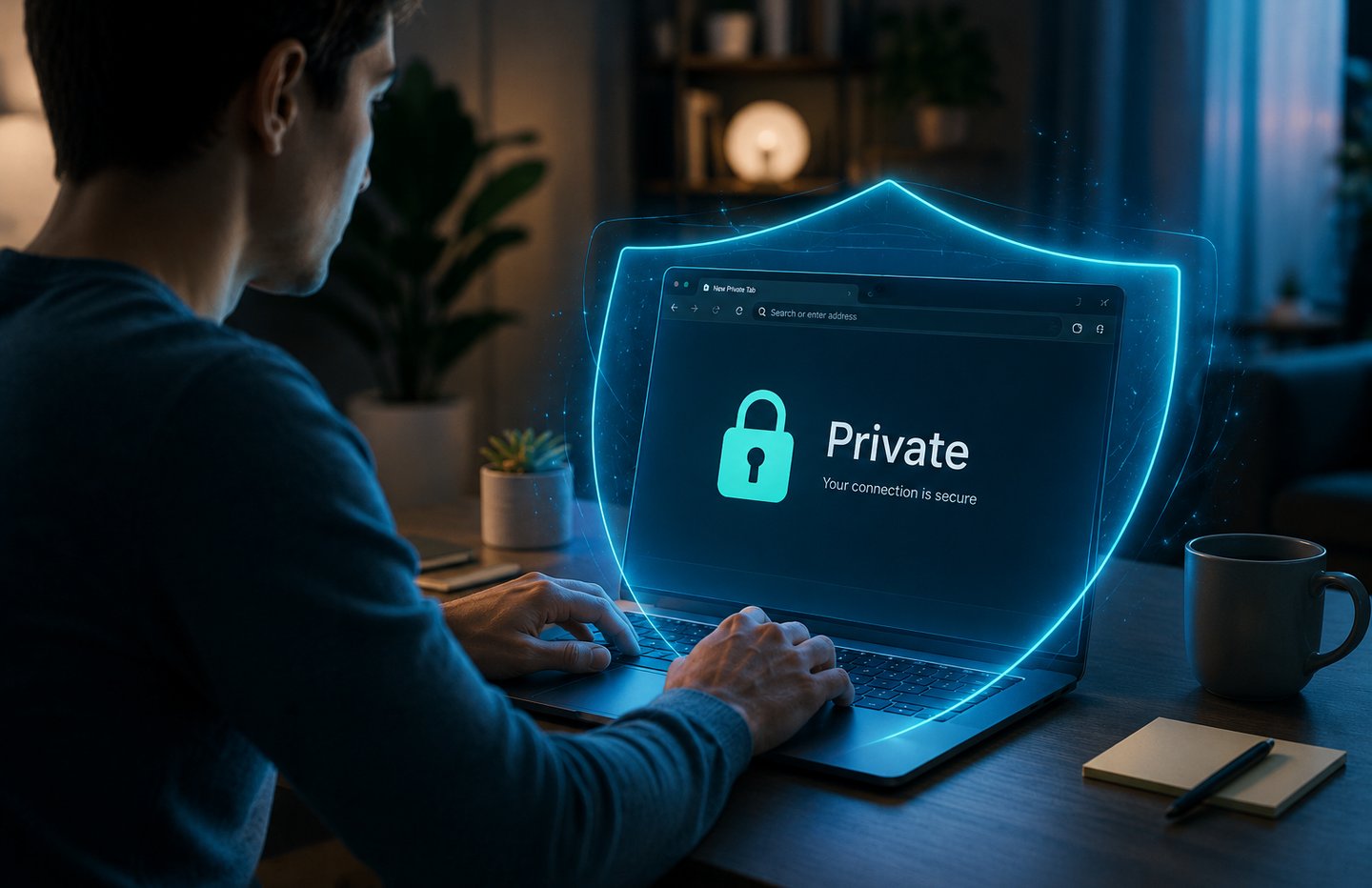

Let me tell you something that took me an embarrassingly long time to figure out.
That little "Incognito" window you open when you want to browse privately? It does almost nothing. Your internet provider still sees every site you visit. Your employer can still monitor your traffic. Every website you land on still fingerprints your device. Google literally settled a $5 billion lawsuit in 2023 because it was tracking users who genuinely believed incognito mode made them invisible.
The incognito lie is one of the most successful PR moves in tech history.
Real privacy requires a real browser — one built from the ground up to protect you, not to harvest you. So I spent the last several weeks actually running ten of them: installing each one, testing how they handle trackers, checking their default settings, seeing which ones broke websites, and figuring out who each browser is actually built for.
Here is what I found.
Why Your Current Browser Is Probably Spying on You
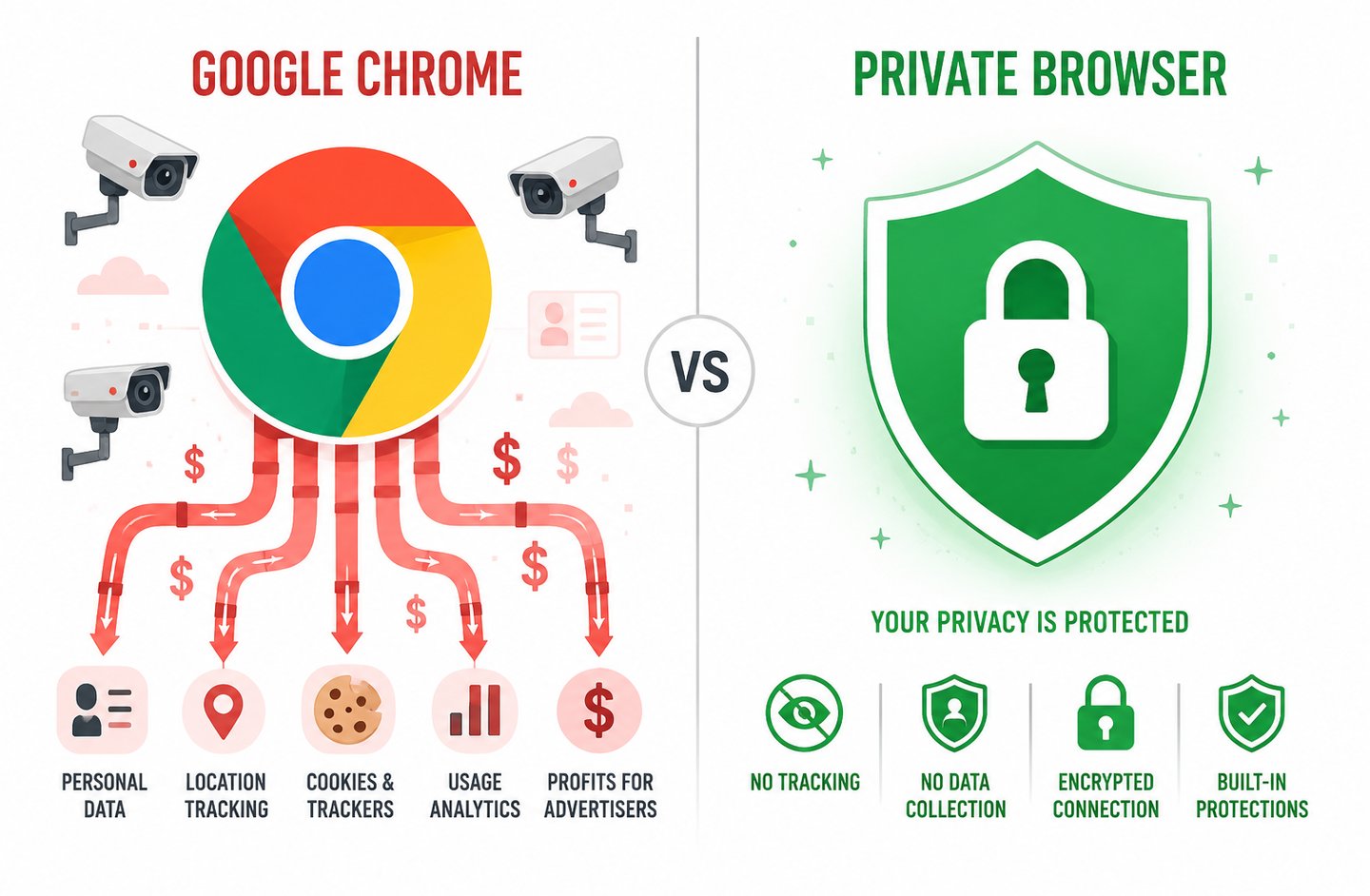
Before the list, this matters: Chrome holds about 66% of the global browser market according to Statista's 2025 browser usage data. It is built by an advertising company. Its entire business model depends on knowing what you read, what you buy, what you search, and what you watch. Firefox is better — but Mozilla has a $450 million search deal with Google and ships with telemetry enabled by default. Safari is Apple's product, and Apple, whatever its marketing says, is not a privacy company.
The browsers below are different in a fundamental way: privacy is not a feature they added later. It is the reason they exist.
The 10 Private Browsers Tested and Ranked
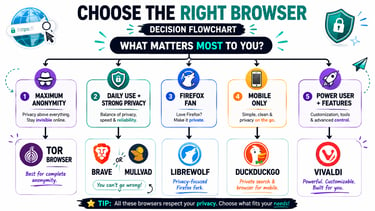
1. Tor Browser Maximum Anonymity, No Compromises
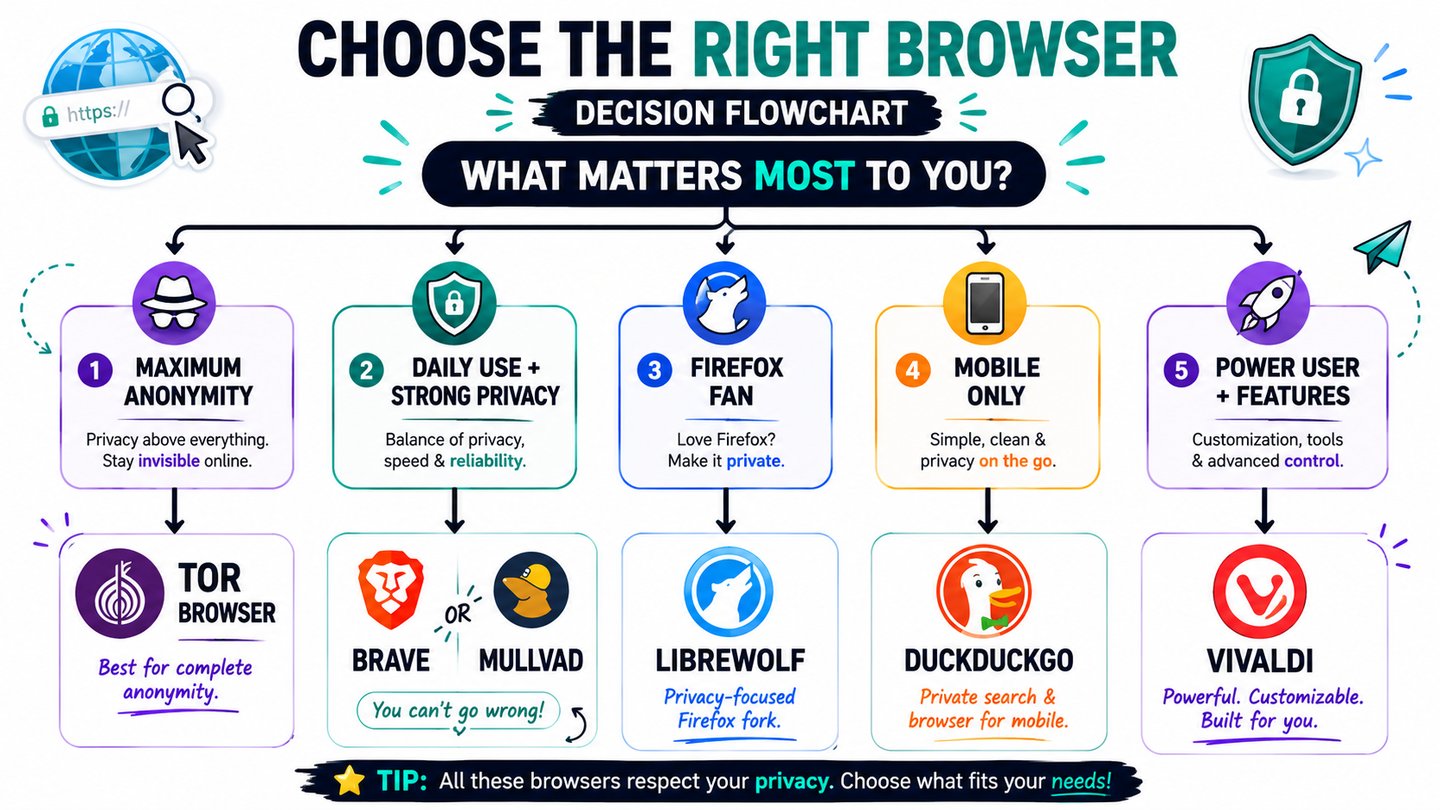
Best for: Journalists, activists, whistleblowers, anyone in a country with internet censorship
Download: torproject.org
Tor is not just a browser. It is a network. When you open Tor Browser, your traffic bounces through three separate volunteer-operated servers in different countries before reaching any website. Each server only knows the step before and after it — nobody in the chain can see the full picture. The website you visit sees the last server's IP address, not yours.
The result is the strongest anonymity available to a civilian without specialized hardware. No other browser on this list comes close.
The tradeoff is real though. Tor is slow — sometimes frustratingly so. Many websites block Tor exit nodes. Streaming is painful. It is not a daily driver for casual use. Think of it as the browser you open when the situation genuinely demands that nobody knows you were there.
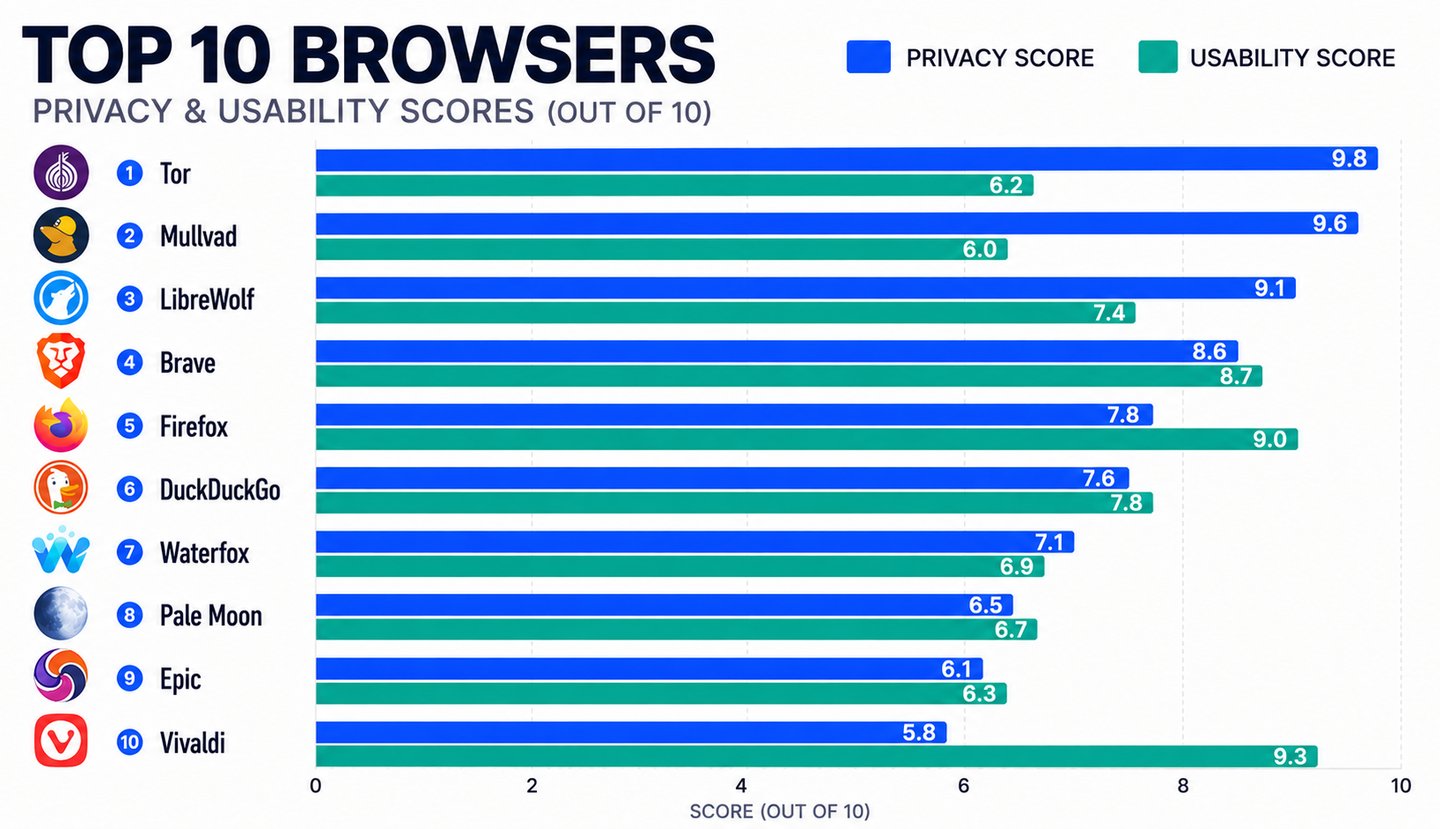
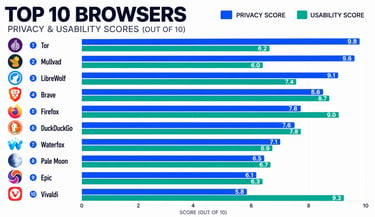
Privacy score: 10/10 | Usability score: 5/10
2. Mullvad Browser — Tor's Smarter, Faster Sibling
Best for: Privacy enthusiasts who want Tor-level protection without Tor's speed penalty
Download: mullvad.net/browser
Mullvad Browser was built as a collaboration between Mullvad VPN and the Tor Project — yes, the same engineers who made Tor. The idea was brilliant: take Tor's anti-fingerprinting technology and strip out the slow Tor network, replacing it with a regular connection (ideally paired with a VPN).
The result is a browser that makes every user look identical to tracking systems — the same screen size, same fonts, same everything — which defeats fingerprinting even without Tor's routing. It runs at normal speed. It works with most websites. It ships in permanent private-browsing mode with no telemetry whatsoever.
Independent testing by PrivacyTests.org gave Mullvad a score of 141 out of 156 privacy checks — second only to Tor itself. For anyone serious about daily privacy without the usability pain of Tor, this is the browser I would recommend first.
Privacy score: 9/10 | Usability score: 8/10
3. Brave — The Best Browser for Everyday People
Best for: Anyone switching from Chrome who wants privacy without a learning curve
Download: brave.com
If I had to recommend exactly one browser to a family member with no technical background, it would be Brave.
It looks almost identical to Chrome. Chrome extensions work in it. It is fast. And out of the box — without touching a single setting — it blocks 97% of third-party trackers, cross-site cookies, and fingerprinting attempts. PrivacyTests.org scored Brave at 143 out of 156 in independent testing, which is higher than Mullvad on raw blocking metrics.
Brave also offers a built-in private window that routes through Tor for occasional sensitive browsing, without making you commit to Tor full-time.
One fair criticism: Brave has a crypto rewards system (BAT tokens) built in, which some privacy purists find philosophically inconsistent. You can ignore it entirely — it does not affect your privacy either way — but it is worth knowing about.
Privacy score: 9/10 | Usability score: 9/10
4. LibreWolf — Firefox Without the Compromises
Best for: Firefox users who want to keep the Firefox experience but remove all the corporate baggage
Download: librewolf.net
LibreWolf is Firefox — but with every Google tie severed, every telemetry switch turned off, and uBlock Origin pre-installed and configured. Where Mozilla's official Firefox ships with data collection on by default and requires 20 minutes of about:config tweaking to harden properly, LibreWolf comes hardened on day one.
No Pocket integration. No sponsored shortcuts. No phoning home. The default search engine is DuckDuckGo. The update cadence follows Firefox closely so you are never far behind on security patches.
The catch is that aggressive privacy defaults occasionally break websites — certain login systems, video players, and authentication flows choke on LibreWolf's strict settings. You will troubleshoot more than with Brave. For users who are comfortable doing that, it is one of the most honest browsers available.
Privacy score: 9/10 | Usability score: 7/10
5. Firefox (Hardened) The Open-Source Classic, Done Right
Best for: Users who want maximum customization and trust open-source software
Download: mozilla.org/firefox
Vanilla Firefox is not a privacy browser — I want to be clear about that. But Firefox with the right configuration is genuinely excellent. Install uBlock Origin, Privacy Badger from the EFF, set DuckDuckGo as your default, and spend fifteen minutes in about:config following the Arkenfox hardening guide — and you have a browser that rivals LibreWolf.
The advantage Firefox has over its forks is Mozilla's ecosystem: sync across devices, a massive extension library, and a decade of stability. If you are already a Firefox user and do not want to switch apps, hardening it is absolutely worth doing.
Privacy score: 7/10 (stock) → 9/10 (hardened) | Usability score: 9/10
6. DuckDuckGo Browser - The Easiest Privacy Upgrade for Mobile
Best for: Mobile users who want set-it-and-forget-it privacy without any configuration
Download: duckduckgo.com/app
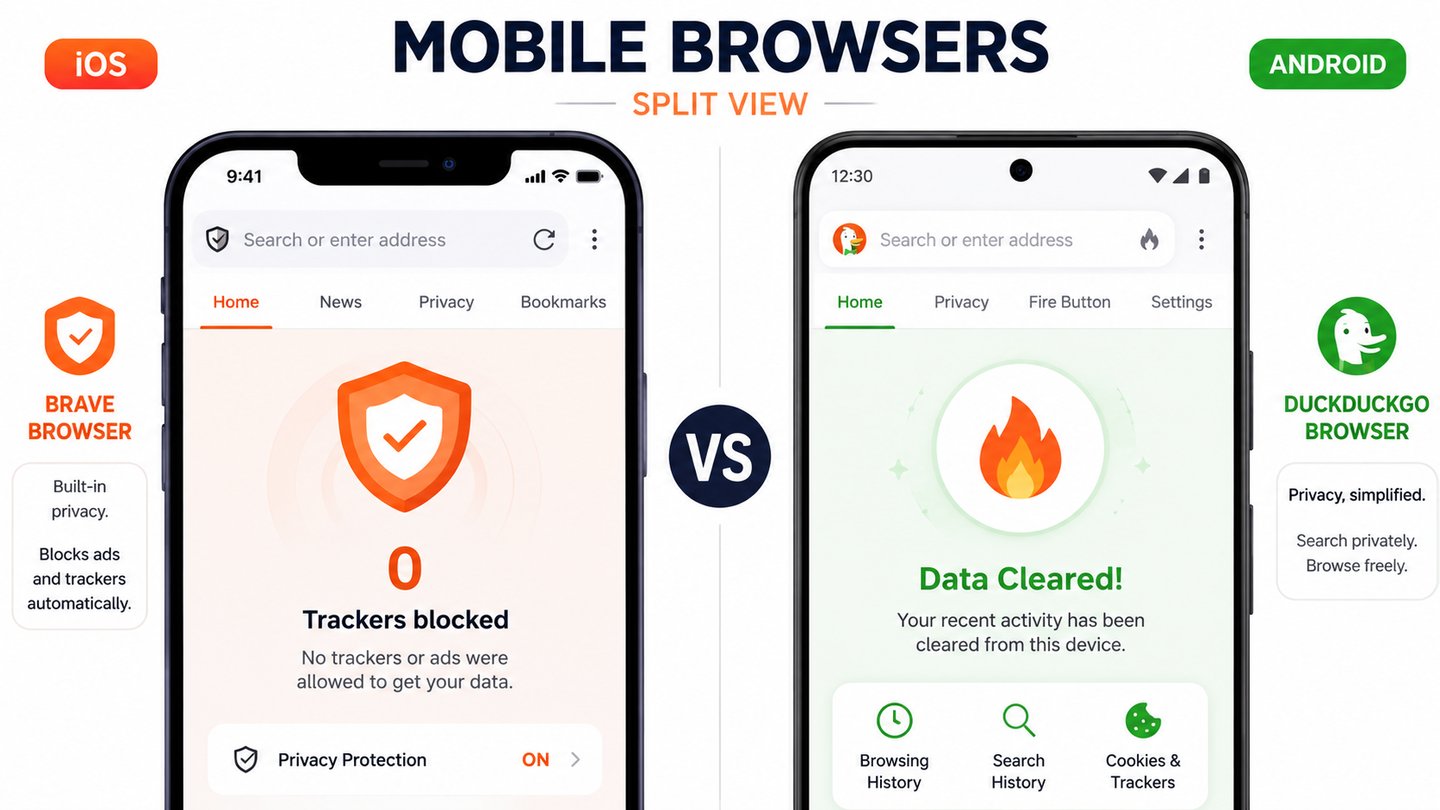
DuckDuckGo has been building a reputation for years through its private search engine — and their browser extends that philosophy to your whole browsing session. The app blocks trackers, forces HTTPS everywhere it can, and gives every website a privacy grade (A through F) based on how aggressively it tries to track you.
The standout feature is the Fire Button — a single tap that incinerates all your tabs, cookies, and browsing data instantly. It feels strangely satisfying.
DuckDuckGo is not the strongest browser in raw technical terms, but it is the most accessible privacy upgrade available on iOS and Android. For users who just want something better than Safari or Chrome without learning anything new, this is the answer.
Privacy score: 7/10 | Usability score: 9/10
7. Waterfox — Firefox Without Mozilla's Politics
Best for: Power users who want legacy Firefox extension support and no corporate oversight
Download: waterfox.net
Waterfox started as a community fork of Firefox focused on 64-bit performance, and it has evolved into a privacy-conscious alternative that supports both modern and classic (legacy) Firefox extensions — something Mozilla killed years ago.
It removes all telemetry, sponsored content, and Pocket integration. For users who relied on older Firefox extensions that no longer work in modern Firefox, Waterfox is sometimes the only viable path forward.
It is not as aggressively hardened as LibreWolf and updates slightly slower than Firefox. But for a specific type of power user, it fills a genuine gap.
Privacy score: 7/10 | Usability score: 8/10
8. Epic Privacy Browser — The Extreme Option
Best for: Users who want maximum blocking even at the cost of a significant amount of website functionality
Download: epicbrowser.com
Epic blocks everything by default — ads, trackers, scripts, even some fonts. It ships with a built-in encrypted proxy that hides your IP. It deletes all browsing data on close, every single time, without exception.
The problem is that Epic's blocking is so aggressive that a large number of websites simply do not work properly. Some login flows fail. Some video players refuse to load. Some JavaScript-heavy web apps break entirely.
If you need to browse certain high-risk topics and need your IP hidden with no configuration effort, Epic works well for that specific scenario. For anything resembling normal daily browsing, the breakage rate is frustrating.
Privacy score: 8/10 | Usability score: 5/10
9. Pale Moon — The Minimalist Choice
Best for: Users on older hardware who want a genuinely lightweight, independent browser
Download: palemoon.org
Pale Moon is a fork of an older Firefox codebase, maintained entirely independently of Mozilla. It is small, fast on aging hardware, and completely free of any telemetry or corporate ties.
The honest caveat: Pale Moon is built on older web rendering technology, which means some modern websites and web standards are not fully supported. Compatibility is an occasional issue. It is not the browser for anyone who relies on cutting-edge web applications.
For users with older machines who want a no-nonsense, lightweight browser without any surveillance features whatsoever, Pale Moon is worth considering.
Privacy score: 7/10 | Usability score: 6/10
10. Vivaldi (Privacy-Configured) — For Power Users Who Want It All
Best for: Users who want deep customization and do not mind trading some privacy defaults for features
Download: vivaldi.com
Vivaldi is the outlier on this list. It is built on Chromium, it has a partially closed-source component, and it does collect some anonymized analytics. On raw privacy scores it sits below every other browser here.
So why include it? Because Vivaldi offers a level of customization that no other browser matches — tab management, built-in email, notes, calendar, and an ad blocker that you control in granular detail. For users who are willing to disable analytics in the settings and configure their own blocking rules, Vivaldi can be a reasonable privacy choice that does not sacrifice productivity.
Just go in with clear eyes: this is not a privacy-first browser. It is a feature-first browser that can be made reasonably private with effort.
Privacy score: 6/10 | Usability score: 10/10
The One Thing None of These Browsers Can Do Alone
I need to be honest about something before you close this tab feeling sorted.
A private browser protects what happens inside the browser — the websites you visit, the cookies you accept, how easily you can be fingerprinted. What it does not protect is your internet connection itself. Your ISP, your government, or anyone monitoring your network can still see which servers you are connecting to, even if they cannot see what you are doing there.
For true network-level privacy, you need to pair your browser with either a trustworthy VPN or the Tor network. Mullvad VPN and Proton VPN are the two most respected options in the privacy community — both accept anonymous payment, both have independently audited no-log policies, and neither is based in a Five Eyes surveillance country.
A private browser plus a privacy-respecting VPN is the combination that actually changes your threat model. Either one alone is a meaningful improvement. Together, they are a serious privacy stack.
Frequently Asked Questions
Does using a private browser make me completely anonymous? No browser alone makes you fully anonymous. Private browsers dramatically reduce tracking and fingerprinting, but network-level privacy requires a VPN or the Tor network in addition. A private browser is one layer of a privacy stack, not the whole stack.
Is it legal to use Tor or private browsers? Completely legal in most countries. Using tools to protect your privacy online is a fundamental right in most democratic nations. Tor is used daily by journalists, lawyers, medical professionals, and ordinary people who simply value their privacy. What you do while browsing is still subject to local laws — the browser itself is just a tool.
Can I use multiple browsers for different purposes? Absolutely — this is actually the recommended approach. Many privacy-conscious users keep Brave for daily browsing, Tor for sensitive sessions, and a hardened Firefox for accounts that require logins. Separating your browsing contexts is one of the most effective privacy practices available.
Will private browsers slow down my internet? Most private browsers on this list run at normal speed — Brave, LibreWolf, Mullvad, and DuckDuckGo are all fast in daily use. Tor Browser is the exception; its multi-hop routing is inherently slower. Some users actually find Brave faster than Chrome because it blocks the tracker scripts that slow down page loads.
What about private browsers on iPhone? iOS restricts third-party browsers from using their own rendering engines — every browser on iPhone is technically forced to use Apple's WebKit under the hood. This limits how much privacy browsers can do at the rendering level on iOS. Brave and DuckDuckGo are still meaningful upgrades over Safari on iPhone, but the gap between platforms is narrower than on desktop or Android.
Privacy is not about hiding something wrong. It is about owning something that is yours — your thoughts, your searches, your medical questions at 2am, your political reading, your financial research. That information belongs to you. These browsers help you keep it that way.
Found this useful? Share it with one person who still thinks incognito mode is private.
References & Further Reading

HACKERS LEGACY

Your ultimate knowledge for Ethical Hacking, Cybersecurity insights, digital products and a global community of curious minds.
LEARN . HACK . LEAD
Quick Links
Resources
Contact Us
> Email Us
> Response Time
Within 24 Hours
> World Wide Access
We are available globally.
©2026 Hackers Legacy
All rights reserved.
Built for learners
Secured for the future.