
I Found My Own Data on the Dark Web — Here's What I Did
I found my personal data on the dark web and learned what the exposure meant. Here's what happened, what I did next, and how you can protect yourself. I share how I discovered my exposed information.
DARK WEB
6/10/20268 min read
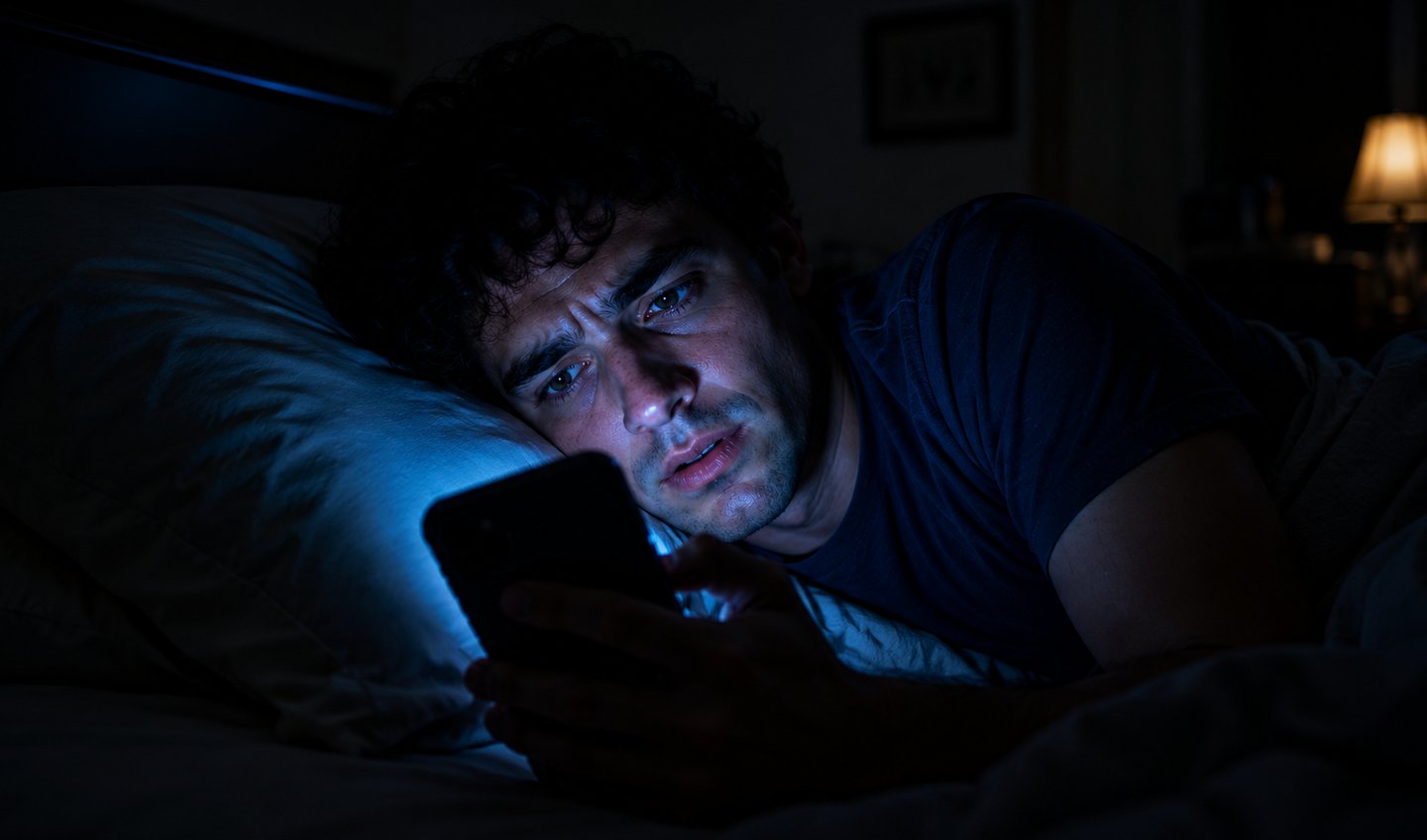

The Night It Happened
It was a Mozilla Monitor alert — one of those services that quietly watches data breach databases and tells you when your information turns up somewhere it shouldn't be.
I'd set it up six months earlier and honestly forgotten about it. You know how it is. You do the responsible thing, feel good about yourself, and then life happens and you stop thinking about it.
So when the alert came in, my first reaction wasn't panic. It was confusion. I thought: this is probably some old breach, some dusty database from 2019 that got re-leaked. It's probably nothing.
I clicked through anyway.
It wasn't nothing.
My primary email address. The password I had been using since college — the one I'd modified exactly three times in fifteen years, always some small variation of the same thing. My phone number. And the kicker: my home address, from a shopping account breach I didn't even remember signing up for.
All of it, sitting in a database, apparently available to anyone who knew where to look.
I sat there in the dark for a few minutes just thinking about how many accounts used that email. My bank. My PayPal. My Amazon. The account I use to log into my kid's school portal. All of them connected to the same password pattern I thought was secure because it had a capital letter and an exclamation mark.
Here is everything I did over the next 72 hours — and what you should do if you ever find yourself in the same situation.
Step 1: Don't Panic. But Don't Wait Either.
The first thing I want to say is something nobody told me clearly enough: finding your data on the dark web does not mean someone has already used it.
It means your information is out there. It means the clock is ticking. But it doesn't mean someone has already opened a credit card in your name or emptied your bank account. Most stolen data sits in bulk databases for weeks or months before being exploited — sometimes longer. You likely have a window.
Use it.
The worst thing you can do is feel overwhelmed, close the app, and tell yourself you'll deal with it tomorrow. Tomorrow is how identity thieves win. They are counting on the fact that most people freeze up.
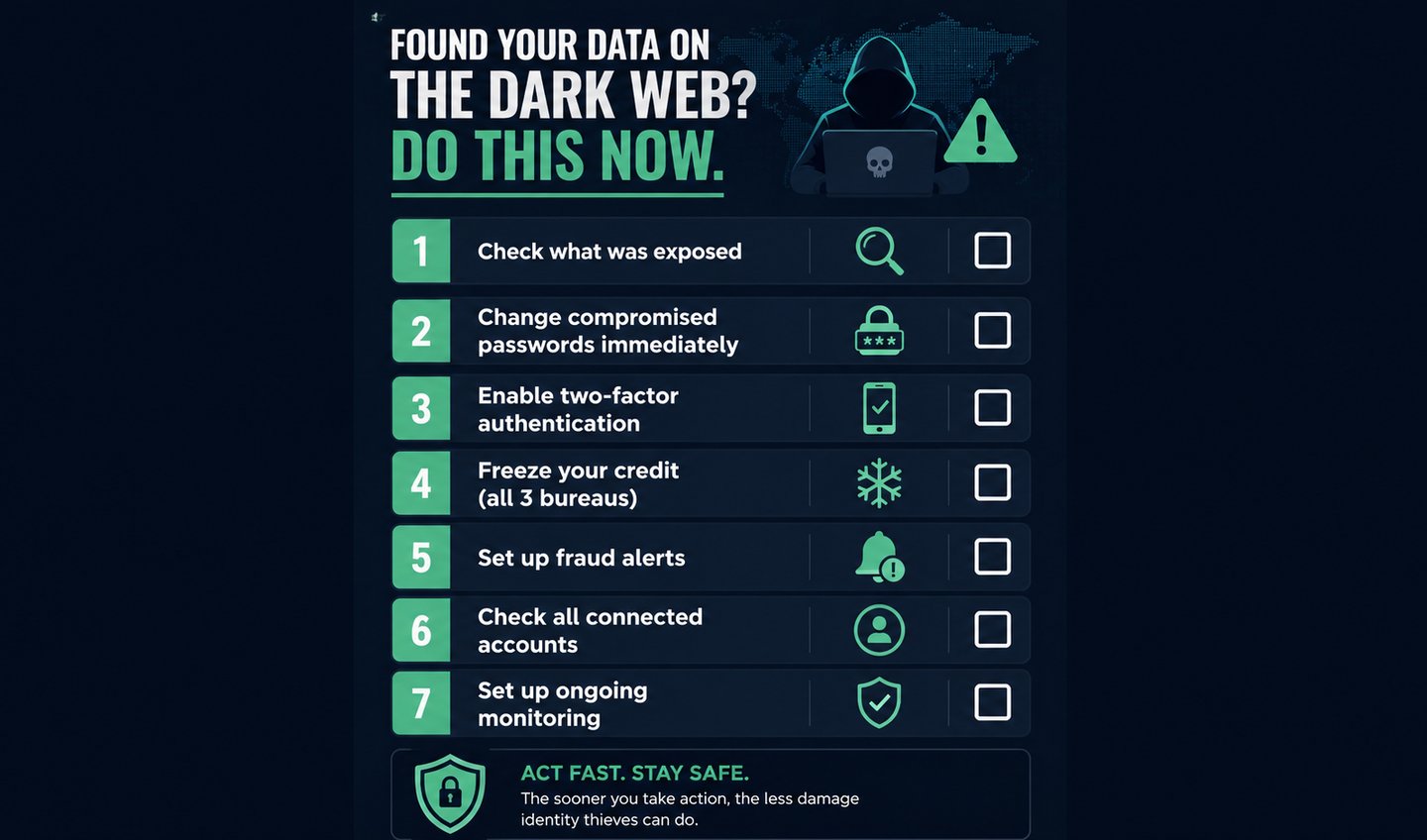
Step 2: Find Out Exactly What Was Exposed
Not all breaches are equal. An exposed email address is annoying. An exposed Social Security number is a five-alarm fire.
I went to HaveIBeenPwned — a completely free tool run by security researcher Troy Hunt — and entered every email address I use. It showed me exactly which breaches each one appeared in, what data was included, and roughly when each breach occurred.
Some of what I found surprised me. An email I hadn't used in years had been in four separate breaches. One of those was from a website I had genuinely forgotten I'd ever signed up for.
What each exposure level actually means:
Your email and password: Urgent. Change the password everywhere you used it or anything similar to it. Do this tonight, not tomorrow.
Your phone number: Medium urgency. Watch for SIM-swap attempts — calls asking you to "confirm" your number for your carrier account. Enable a SIM lock PIN with your phone provider.
Your home address: Lower urgency on its own, but dangerous when combined with other data. Monitor your mail for credit applications you didn't make.
Your Social Security number: Maximum urgency. Freeze your credit immediately. Do not pass go, do not collect $200. More on this below.
One important note: Google shut down its dark web monitoring service in January 2026. If you were relying on Google One's dark web report feature, that is gone. Switch to Mozilla Monitor — it is free, covers the same data, and sends automatic alerts for new breaches.
Step 3: The Password Situation (This Is the Painful Part)
I will be honest. This step took me about three hours and was genuinely miserable.
I had to change every account that used my exposed password or any variation of it. And because I had been using the same base password with small tweaks for fifteen years — adding a "1" here, an "!" there — I had to assume all of those variations were also compromised. Hackers don't just check the exact stolen password. They run it through common modification patterns automatically.
I did this in order of actual financial or personal risk:
Bank accounts and credit cards first
Email accounts second — because if a hacker controls your email, they can reset everything else
PayPal, Venmo, any payment platform
Social media with payment info attached
Shopping accounts (Amazon, etc.)
Everything else
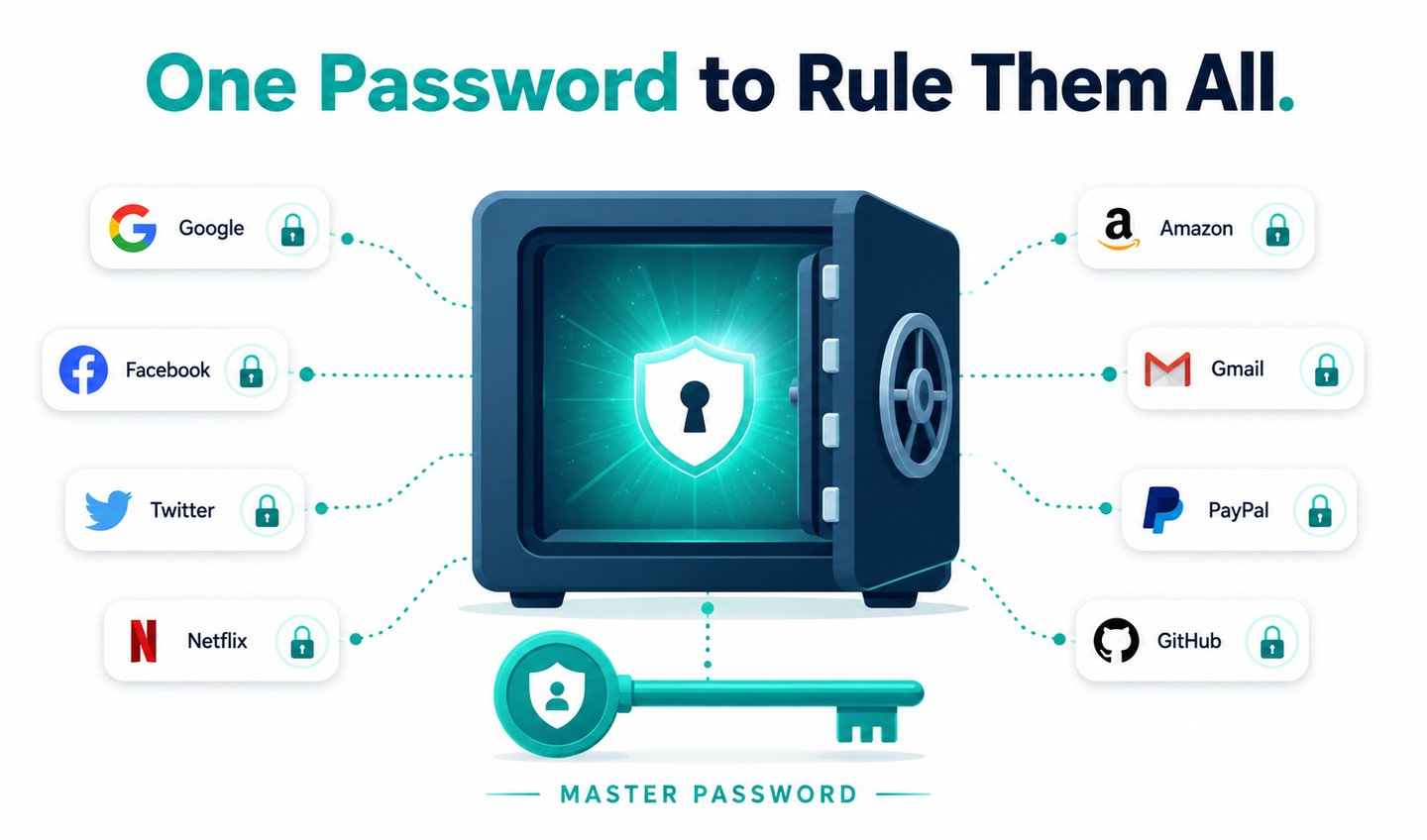
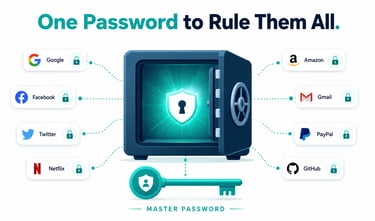
Every new password I set was generated by Bitwarden — a free, open-source password manager I'd been meaning to use for years and kept putting off. This situation finally made me stop procrastinating. Each account now has a unique, random 20-character password that I could not tell you from memory if my life depended on it.
That used to bother me. Now I find it deeply comforting.
Step 4: Two-Factor Authentication on Everything
After changing passwords, I turned on two-factor authentication on every account that supported it.
If you are not familiar: two-factor authentication means that even if someone has your correct password, they still cannot log in without a second verification — usually a code sent to your phone or generated by an app. It is not perfect, but it makes the casual theft of your credentials essentially useless.
I used Authy as my authenticator app. It backs up your codes to the cloud (encrypted), which means if you lose your phone, you are not locked out of everything forever — something I did not think about until a friend told me the horror story of losing his phone and spending two weeks recovering access to his accounts.
The accounts I absolutely made sure had 2FA enabled: both of my email accounts, my bank, PayPal, Amazon, Instagram, and my password manager itself.
Step 5: Freeze Your Credit — All Three Bureaus
This is the step most people skip because it sounds complicated. It took me eleven minutes total.
A credit freeze means that nobody — including you — can open a new line of credit in your name without first unfreezing it. It does not affect your existing credit cards or credit score. It just slams the door on anyone trying to open new accounts using your information.
You have to do it at all three credit bureaus separately:
Experian: experian.com/freeze/center.html
TransUnion: transunion.com/credit-freeze
All three are free. Federal law requires them to freeze your credit for free and unfreeze it for free whenever you request. The process is a short online form at each site.
I also filed a fraud alert with Experian — which automatically passes the alert to Equifax and TransUnion too. A fraud alert requires lenders to take extra verification steps before approving credit in your name.
And I pulled my free credit reports at AnnualCreditReport.com — the only federally mandated free report site — to check for any accounts I didn't recognize. There were none, which meant I'd caught this before it escalated. Small mercy.
Step 6: Report It (Even If Nothing Bad Has Happened Yet)
I filed a report with the FTC at IdentityTheft.gov. This took about seven minutes, and the FTC generates a personal recovery plan based on what was exposed. It also creates an official record — which matters if you later need to dispute fraudulent accounts.
If your Social Security number was exposed specifically, the IRS Identity Protection PIN program lets you get a unique 6-digit PIN that must be included on your tax return, preventing someone from filing a fraudulent return in your name and stealing your refund.


What I Know Now That I Didn't Know Then
A few weeks out from that Tuesday night, here is what changed in how I think about this stuff.
The breach that exposed my data was not from a bank or a major tech company. It was from a mid-size e-commerce site I'd used twice in 2021. Some random online store selling home goods that I'd completely forgotten about. They had my email, my old password (which I'd also used elsewhere), my phone number, and my shipping address — and at some point their database got compromised and ended up for sale somewhere.
That is how most people's data actually gets exposed. Not through a Hollywood-style hack. Through some small company's inadequate security becoming someone else's problem.
You cannot control which companies get breached. You can control how much damage that breach can do to you. Strong unique passwords, two-factor authentication, and frozen credit mean that a stranger having your email and an old password from 2021 goes from "potential disaster" to "annoying notification I dealt with in a weekend."
That is the actual goal. Not perfect privacy. Just making yourself a hard enough target that the automated systems looking to exploit stolen credentials move on to easier accounts.
Do This Right Now — Even If Nothing Has Happened Yet
You do not have to wait for an alert. Here is your five-minute version:
Go to HaveIBeenPwned and enter every email address you use. If any show up in a breach, follow the steps above in order. If nothing shows up — good. But set up Mozilla Monitor so you get alerted automatically when that changes.
Because the question for most Americans in 2026 is not whether some version of your data has been exposed somewhere. It is whether you know about it yet.
Now you know what to do when you find out.
Frequently Asked Questions
Can I get my data removed from the dark web? No — once data is on the dark web, you cannot remove it. What you can do is change the data that matters (passwords, account details) and make the stolen information useless by freezing credit and enabling 2FA. Focus on damage limitation, not removal.
Is HaveIBeenPwned safe to use? Yes. It is run by Troy Hunt, one of the most respected independent security researchers in the world, and is partnered with law enforcement agencies including the FBI and Europol. Entering your email does not expose it — the site checks against breach data it already holds.
Does a credit freeze hurt my credit score? No. A credit freeze has zero impact on your credit score. It only prevents new credit from being opened. You can temporarily lift it any time you need to apply for something.
What if my Social Security number was exposed? Freeze your credit immediately at all three bureaus, file a report at IdentityTheft.gov, enroll in the IRS Identity Protection PIN program, and consider a paid identity monitoring service that watches for SSN misuse. This is the most serious exposure type and requires the most aggressive response.
Should I pay for a dark web monitoring service? For most individuals, free tools (HaveIBeenPwned, Mozilla Monitor) cover the basics well. Paid services like Aura or IdentityForce add real-time monitoring, SSN alerts, and identity theft insurance — worth considering if your SSN or financial data was specifically exposed.
The Tuesday night version of me was scared. The Thursday version felt strangely empowered. Not because the breach un-happened, but because I'd done everything within my control to limit what it could do.
That shift — from passive victim to active responder — is the thing nobody tells you about. You can't stop companies from getting hacked. You absolutely can stop that from becoming your problem.
References & Further Reading

HACKERS LEGACY

Your ultimate knowledge for Ethical Hacking, Cybersecurity insights, digital products and a global community of curious minds.
LEARN . HACK . LEAD
Quick Links
Resources
Contact Us
> Email Us
> Response Time
Within 24 Hours
> World Wide Access
We are available globally.
©2026 Hackers Legacy
All righs reserved.
Built for learners
Secured for the future.